
What You're Buying
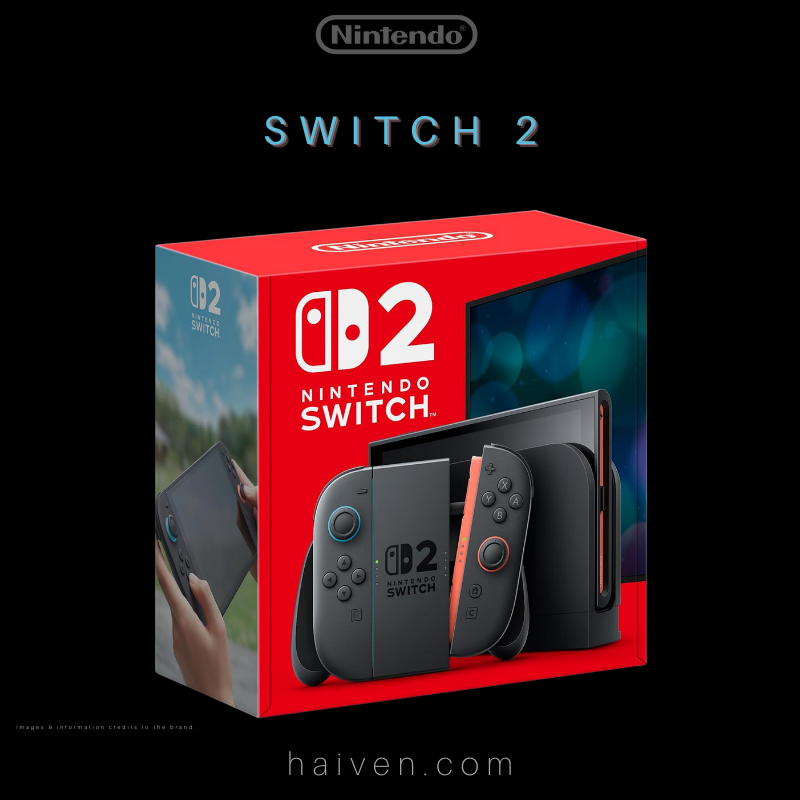
Nintendo Switch 2 is a console for handheld, tabletop and TV play. Haiven's listing is the black console, pictured in its retail box. Before moving from an older Switch, make a short list of the games and accessories you want to keep using.
How It Works
The console has a 7.9-inch LCD screen and magnetically attached Joy-Con 2 controllers. The dock connects it to a television. Nintendo specifies up to 4K output for supported games and a compatible display, with a maximum of 60 frames per second at 4K. Those limits matter more than assuming every game runs at the same resolution.
Why We Chose It
The appeal is moving between a personal screen and a shared television. A compatibility check makes that flexibility easier to plan: separate what you already own from what your chosen games actually require.
What Sets It Apart
- Games: compatible physical and digital Nintendo Switch games can be played, but some titles are unsupported or have limitations. Check each important title on Nintendo's compatibility list.
- Controllers: original Joy-Con can connect wirelessly, but cannot attach to Switch 2. Keep a compatible way to charge them.
- Storage: game storage expansion requires microSD Express. A conventional microSD card from an older Switch is not a substitute.
- TV setup: the original Switch dock is incompatible. Nintendo also specifies different power requirements for Switch 2 TV mode.
Use this as a checklist, not a promise that a particular accessory bundle or game is included. Confirm the exact contents before choosing a package.
View Nintendo Switch 2 at Haiven.
Why We Recommend It
Consider it when your preferred games and play modes fit the system. Checking your existing library and accessories first helps avoid buying replacements you do not need or relying on equipment that will not work.
References: Nintendo system features and official compatibility guidance.