
What It Is
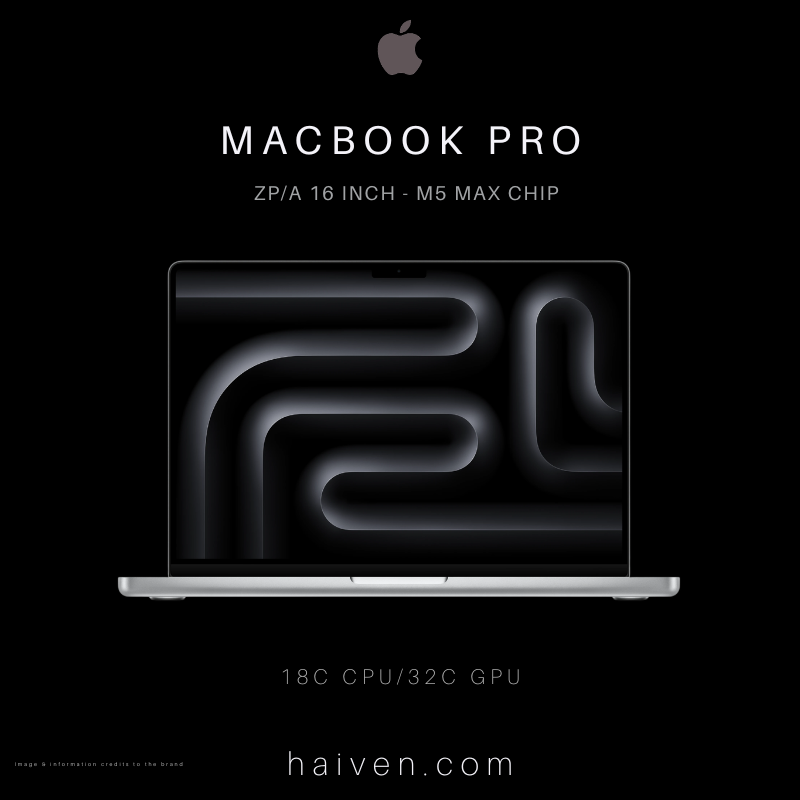
The 16-inch MacBook Pro with the M5 Max chip is the largest and most capable laptop in Apple's 2026 line-up. Apple's own refurbished listing gives its original release as March 2026. The configuration in Haiven's catalogue is the entry M5 Max model: an 18-core CPU, a 32-core GPU, 36GB of unified memory and a 2TB SSD. The ZP/A in the name is Apple's part-number suffix for the regional version the unit was made for; the chip, memory and storage are the same as the standard configuration.
This is a machine for sustained, heavy work rather than browsing and email. If your days involve video editing, 3D, large photo libraries, software development or working with local AI models, this is the class of laptop built for it.
How It Works
Everything important lives on one Apple-designed chip. According to Apple's technical specifications, the M5 Max has:
- 18-core CPU made up of 6 "super" cores and 12 performance cores, so demanding single tasks and heavily multi-threaded jobs are both well served.
- 32-core GPU with a Neural Accelerator in each core and hardware-accelerated ray tracing, for graphics, rendering and AI workloads.
- 16-core Neural Engine for on-device machine-learning tasks.
- 460GB/s memory bandwidth feeding the CPU and GPU from the same pool of memory.
- Media engine with hardware H.264, HEVC, ProRes and ProRes RAW, AV1 decode, two video encode engines and two ProRes encode and decode engines.
Because the memory is "unified", the 36GB is shared directly by the CPU, GPU and Neural Engine rather than split between system RAM and separate graphics memory. One point to understand before buying: memory and storage are built in and cannot be upgraded later. Apple lists 36GB as the memory for the 32-core GPU version of the M5 Max; the 48GB, 64GB and 128GB options are tied to the 40-core GPU chip. So choose this configuration knowing that 36GB is what it will always have.
Display, Ports and Battery
The screen is a 16.2-inch Liquid Retina XDR display at 3456 by 2234 pixels (254 pixels per inch). Apple rates it at 1000 nits sustained full-screen brightness, up to 1600 nits peak for HDR content, and up to 1000 nits for standard content outdoors, with a 1,000,000:1 contrast ratio. ProMotion lets the refresh rate adapt up to 120Hz, which makes scrolling and motion smooth.
Connections are generous for a modern laptop. Apple lists three Thunderbolt 5 (USB-C) ports with charging, DisplayPort and data up to 120Gb/s, plus an HDMI port, an SDXC card slot, a 3.5mm headphone jack and a MagSafe 3 charging port. The M5 Max version supports up to four external displays alongside the built-in screen. Wireless is Wi-Fi 7 and Bluetooth 6.
Inside is a 100-watt-hour battery. Apple's figures for the M5 Max model are up to 22 hours of video streaming and up to 16 hours of wireless web use; real results depend on what you run. A 140W USB-C power adapter and a 2m USB-C to MagSafe 3 cable are listed in the box, and the laptop can fast-charge with a 140W or higher USB Power Delivery source.
Why We Chose It
For readers in Dubai who work on their laptop all day, whether editing for clients, building software or handling large design files, the 16-inch M5 Max covers a lot of ground in one machine. The big, bright screen is practical in well-lit offices, the built-in HDMI and SD slot reduce the need for adapters, and the battery figures mean a full working day away from a socket is realistic for many tasks. The 2TB SSD also gives real room for projects without leaning on external drives from day one.
What Sets It Apart
The main difference from the M5 Pro version of the same laptop is the Max chip's wider GPU, higher memory bandwidth and doubled video and ProRes engines, which matter most for video and graphics work. Compared with the 40-core GPU M5 Max, this 32-core model has lower bandwidth (460GB/s versus 614GB/s) and cannot be configured above 36GB of memory, but it keeps the same 18-core CPU, the same display, ports and battery. For many professionals that makes it the sensible entry point into Max-level performance.
Is It Right for You?
It is recommended if you need sustained performance for creative or technical work and value a large screen. If your work is mostly documents, browsing and video calls, a MacBook Air or a lighter MacBook Pro will do the job with less weight: Apple lists this model at 2.15 kg, 35.57 cm wide, 24.81 cm deep and 1.68 cm thick.
View the Apple MacBook Pro 16-inch M5 Max (18-core CPU, 32-core GPU, 36GB, 2TB) on Haiven.
Reference: MacBook Pro (16-inch, M5 Pro or M5 Max) – Tech Specs – Apple Support.